Local-first desktop orchestration

AI agent teams on your desktop.

CLAI Desktop is a GUI for working with AI agents across local models, CLI agents, MCP tools, files, schedules, skills, and artifacts. It is built for people who want open-model workflows first, without giving up hosted APIs or tools like Claude Code, Codex CLI, and OpenCode.

macOS, Windows, Linux MCP-native tools Local and hosted models CLI agents MIT licensed desktop app

See the work as it happens.

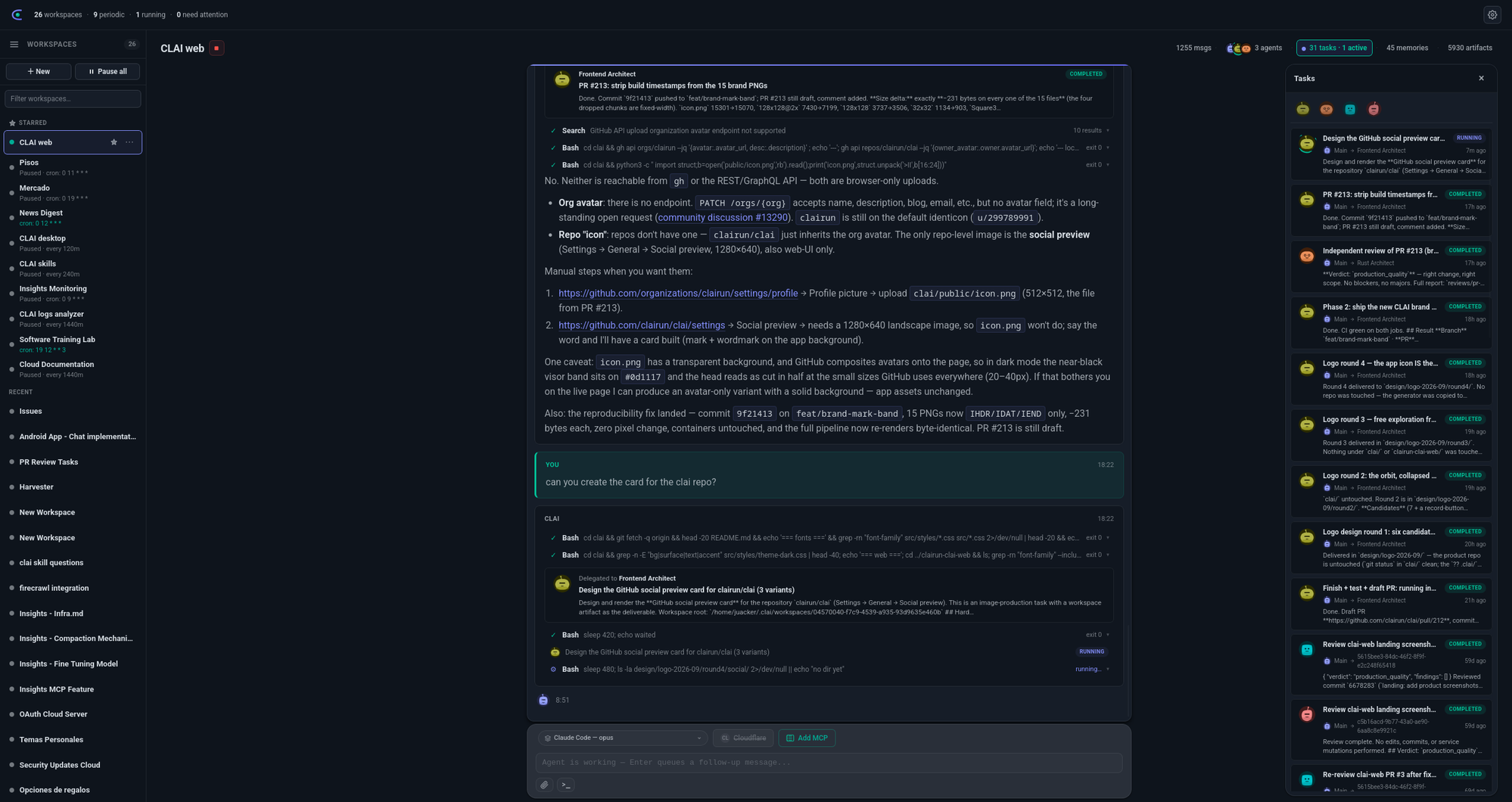
CLAI keeps agent messages, tool calls, delegated tasks, files, memory, and generated artifacts in one place, so you can follow the work without digging through terminal history.

Desktop appBuilt for local workspaces on macOS, Windows, and Linux.
Open sourceCLAI Desktop is MIT licensed and developed in the open on GitHub.
Local controlsChoose what each agent can read, write, and run on your machine.
Model choiceRun local models (Ollama, LM Studio, vLLM), API providers, or CLI agents per workspace and agent.

Built around the way agent work actually happens.

Models, tools, prompts, schedules, and outputs all matter. CLAI gives each part a visible place in the desktop app.

Model choice

Use local models, hosted APIs, and CLI agents side by side.

Start with Ollama, LM Studio, vLLM, or another OpenAI-compatible endpoint. If your workflow already uses Claude Code, Codex CLI, or OpenCode, bring those agents into the same workspace.

  • Self-hosted and local model presets are first-class.
  • Hosted OpenAI-compatible and Anthropic-compatible APIs fit into the same provider list.
  • CLI-backed agents can use your existing subscription login.
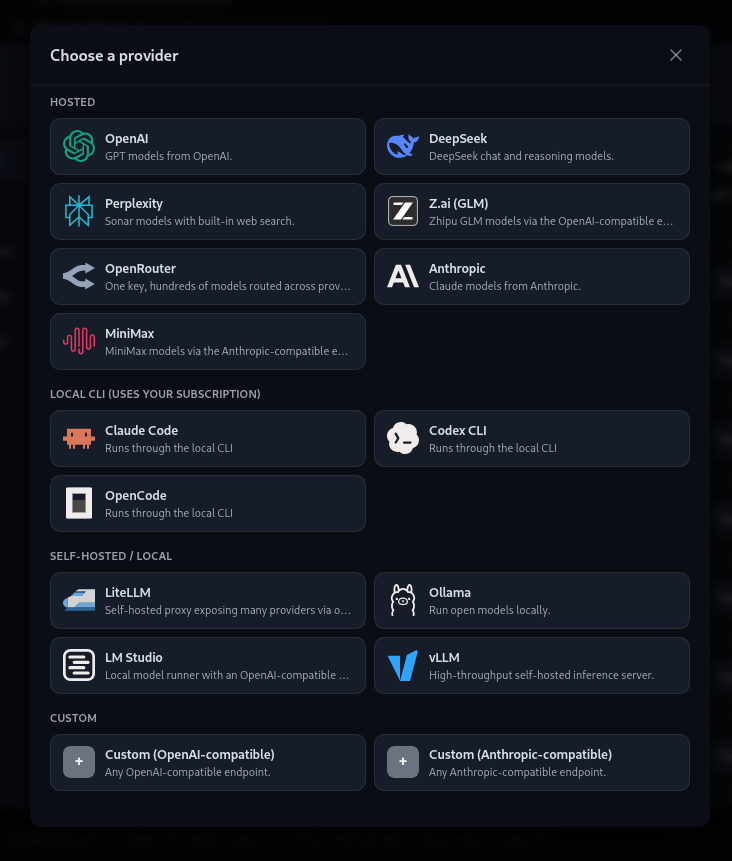
CLAI provider picker showing hosted providers, local CLI agents, and self-hosted local model options including Ollama, LM Studio, and vLLM.
Agent teams

Give each agent a role, a model, and the tools it needs.

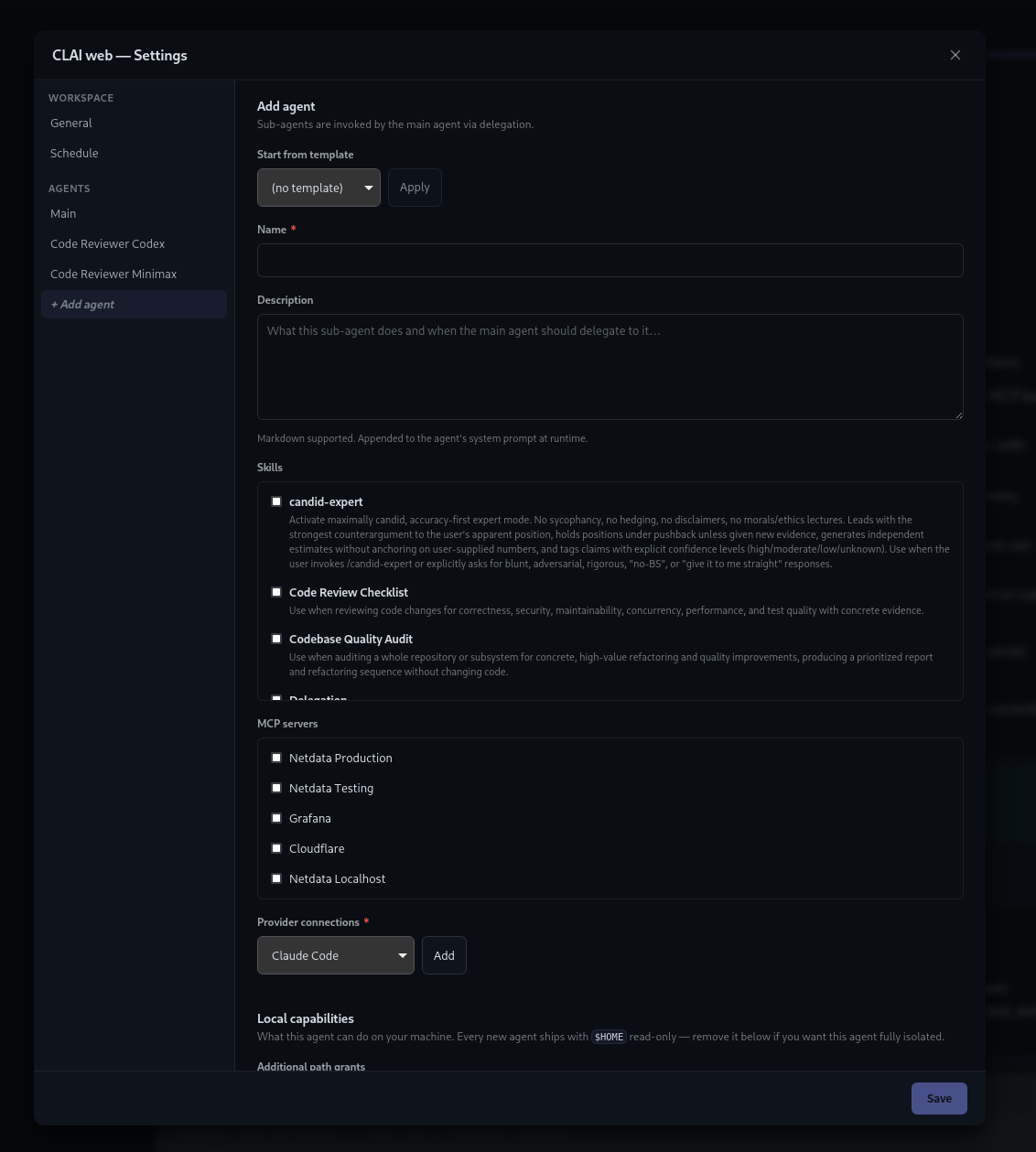
A workspace can have a main agent plus helpers for review, research, operations, or any task you want to split out. Each agent gets its own instructions, skills, MCP servers, provider connection, and local permissions.

  • Pick skills and MCP servers per agent instead of sharing everything by default.
  • Use local filesystem and shell grants to keep the agent's scope clear.
  • Delegate work from the main agent without losing the task transcript.
CLAI workspace settings modal for adding a sub-agent with skills, MCP servers, provider connections, and local capabilities.
Schedules

Let a workspace run when you need it.

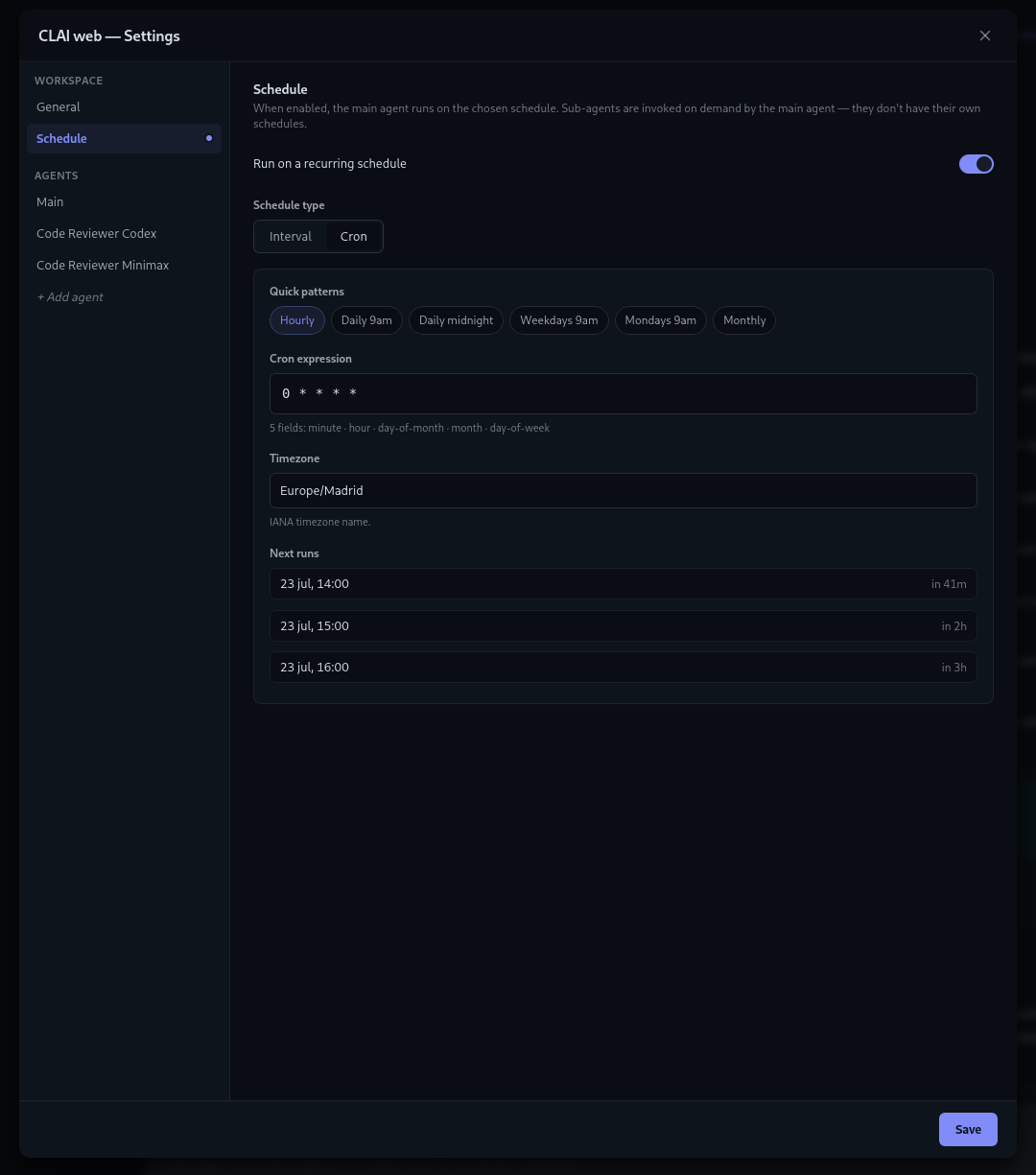
Use schedules for recurring checks, maintenance, reports, or follow-up work. CLAI shows the cadence, timezone, and next runs before you save, so scheduled work stays understandable.

  • Use quick presets or write a cron expression.
  • Preview the next run times in your timezone.
  • Keep outputs, transcripts, and artifacts attached to the same workspace.
CLAI schedule settings showing a recurring cron schedule, timezone, and upcoming run times.

Everything an agent workspace needs.

CLAI brings the practical pieces together: models, MCP tools, skills, permissions, schedules, transcripts, and files.

Local and hosted models

Use Ollama, LM Studio, vLLM, LiteLLM, or hosted OpenAI-compatible and Anthropic-compatible providers.

CLI agents

Run Claude Code, Codex CLI, and OpenCode from a desktop workspace while keeping their outputs visible.

MCP client

Connect MCP servers with static credentials or OAuth, then choose which workspaces and agents can use them.

Scheduled workspaces

Run a workspace hourly, daily, or with cron. Preview the next runs before saving the schedule.

Skills

Reuse instructions from bundled, local, or Git-backed skill sources and attach them where they help.

Artifacts and transcripts

Keep generated files, task transcripts, and durable memories next to the workspace that produced them.

Set it up once, reuse it often.

Create a workspace for a project or recurring task, give agents the right context, and come back to a clear record of what happened.

Connect providers and tools

Add API providers, local CLI agents, and MCP servers from Settings.

Create a workspace

Attach the right model, tools, skills, files, and helper agents for that project.

Run now or schedule it

Start work immediately, run it on a cadence, and review transcripts, memories, and artifacts when it finishes.

Questions, feedback, or integration ideas?

Reach the CLAI team directly for product feedback, MCP integrations, packaging questions, or collaboration.

Prefer the open channel? Ask or share feedback in GitHub Discussions.